Dr. Hannah Brooks · 100 Sample Street · Fax (403) 555-0101
Specialist referral
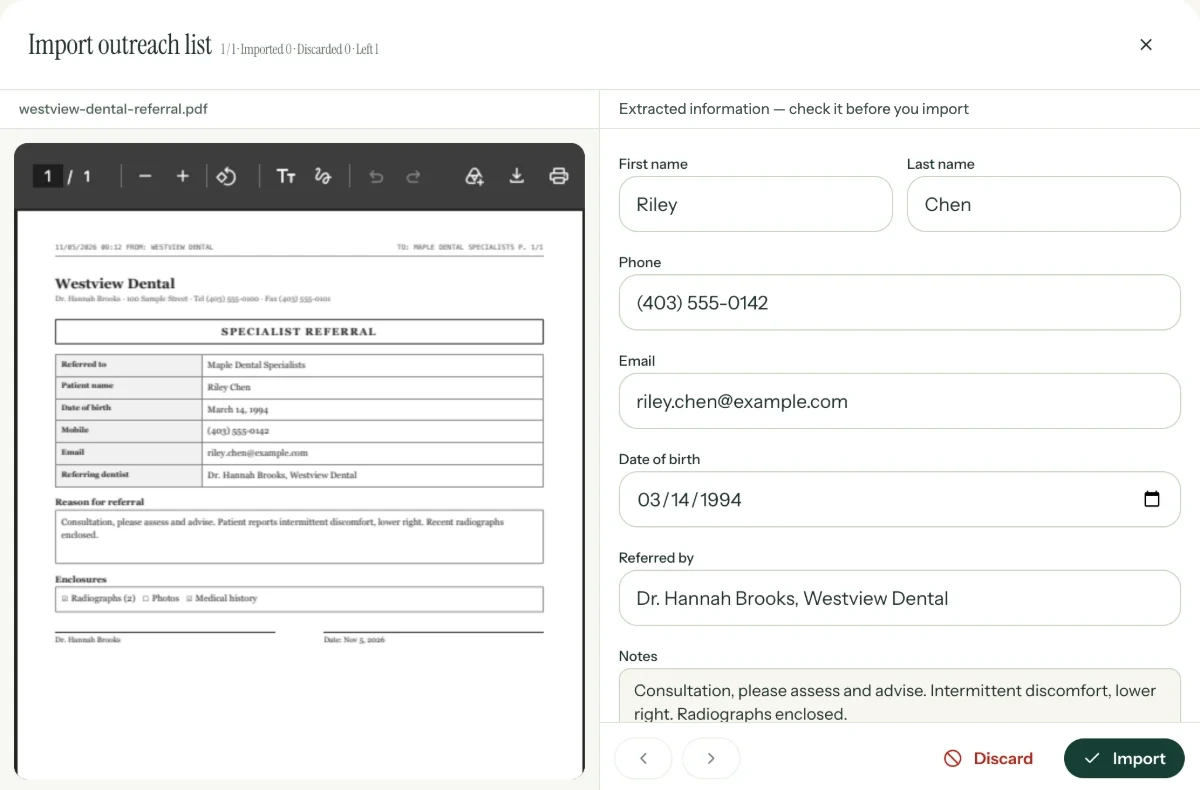
Patient nameRiley Chen
Date of birthMarch 14, 1994
Mobile(403) 555-0142
Referring dentistDr. Hannah Brooks
ReasonConsultation, please assess
Dr. Hannah BrooksEnclosures: radiographs (2)
Reading westview-referral.pdf
Patient details
First and last nameRiley Chen
Date of birth03/14/1994
Phone(403) 555-0142
Referred byDr. Hannah Brooks, Westview Dental
NotesConsultation, please assess and advise
✓Check, then import
Illustration · sample patient and office
The Outreach add-onPer location, per month
Nolimiton faxed and emailed PDF uploads
+$49a month, flat, for all your locations
Bulkoutreach to many patients at once. Referrals sent through Simplify are always unlimited.
What changes
From a stack of faxes to patients on their way.
Before
Faxed and emailed referrals pile up.
Someone retypes every letter.
Outreach waits until there’s time.
With Simplify
Drag the PDFs in.
Simplify reads the patient details for you.
Your team checks them, then outreach starts.
How it works
From a PDF to patient next steps.
01 / 04
Drop referral PDFs hereFaxed or emailed letters, saved as PDFs
referral-alex-lee.pdfRead
cedar-dental-referral.pdfRead
harbour-dental-xrays.pdfReading
Import
Drag in the PDFs.
Faxed or emailed referral letters, saved as PDFs. A referral with several attachments still counts as one import.
Drop referral PDFs hereFaxed or emailed letters, saved as PDFs
referral-alex-lee.pdfRead
cedar-dental-referral.pdfRead
harbour-dental-xrays.pdfReading
Review
Details read. A human check.
Simplify reads the patient and referring office from the letter. Your team checks and corrects them, side by side with the PDF, before anything goes out.
Step 2 · Contact
Then the patient hears from you.
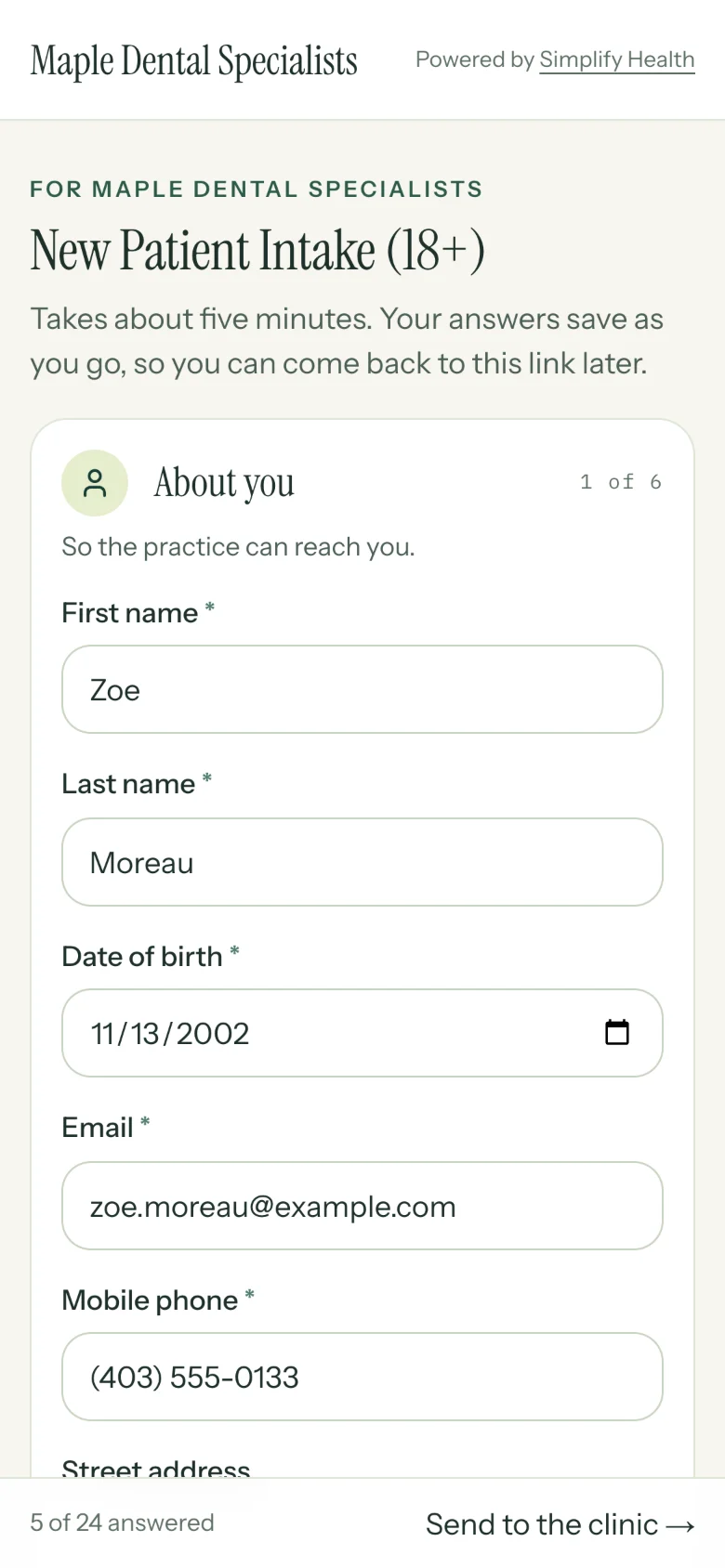
Once you import, the patient gets a text and an email with their intake link, the same as any other referral.
Your list
One list, however it arrived.
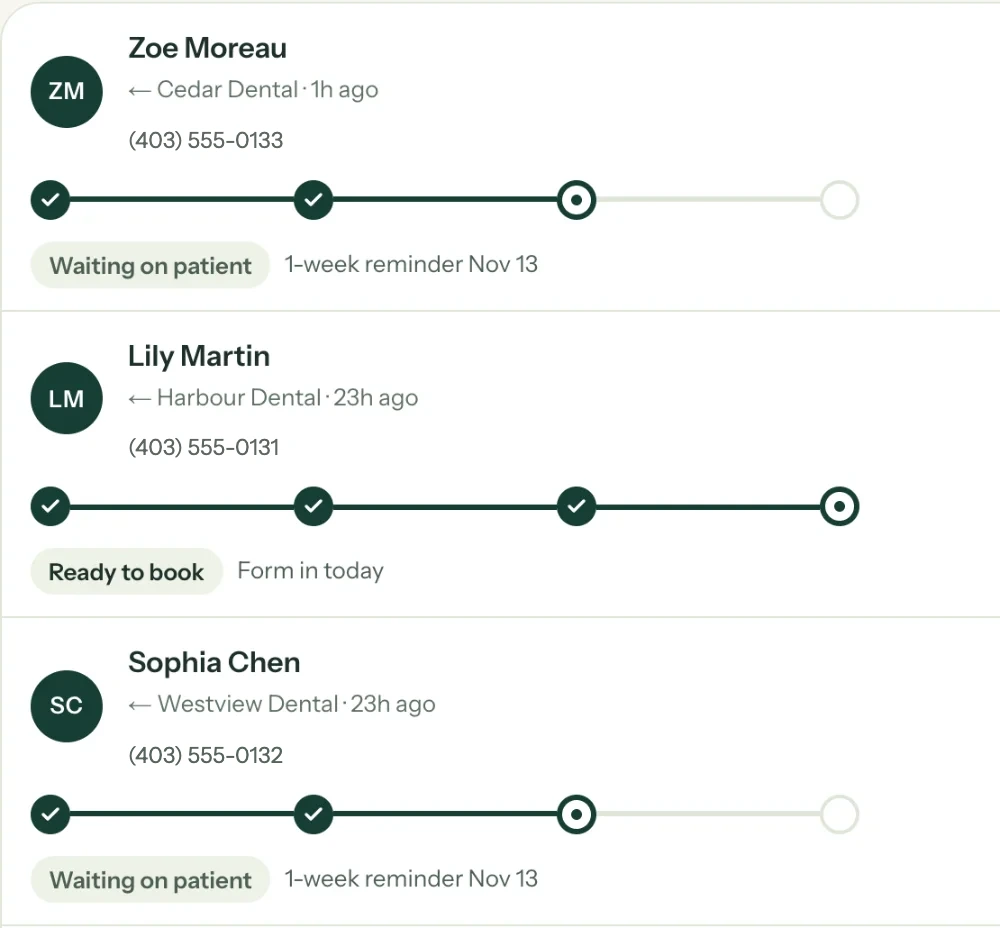
Imported referrals sit in the same list as referrals sent through Simplify, with the PDF kept on the patient.
Included
Built for outside referrals.
Drag in PDFs
Faxed or emailed letters, saved as PDFs, straight from your computer.
Details read for you
Simplify reads the patient and referring office from each letter.
A review before outreach
Your team checks and corrects every import before the patient is contacted.
Outreach in bulk
Once the details are checked, start outreach to many patients at once.
No PDF limit
Upload as many faxed and emailed referrals as you get.
Direct referrals are in the base plan
Referrals sent through Simplify are unlimited, with or without the add-on.